Modern Wakeup
Let Windows applications wake your PC from Modern Standby.
Desktop applications can request a timed wakeup using Microsoft's SetWaitableTimer or SetWaitableTimerEx API. On PCs using S0 low-power idle, also called Modern Standby, those timers no longer bring the application back into activity.
Modern Wakeup installs a driver that finds existing wake timers, selects the earliest allowed timer, and requests a wakeup at its deadline. The original application does not need to be modified.
Windows wake timers not working with Modern Standby? Check whether this is the problem on your PC and follow the setup and troubleshooting guide.
Modern Wakeup is free to try for 7 days and costs USD $25 per machine. SDK licensing for shipping the Modern Wakeup driver with your own application is also available.
Enterprise volume licensing is available upon request.
Choose which applications can wake your PC
Enter application .exe names or wildcard patterns in the configuration app to allow their existing wake timers. Administrators can also deploy the driver and configuration file to managed Windows devices. The configuration app does not need to stay open or on your PC for the driver to work.
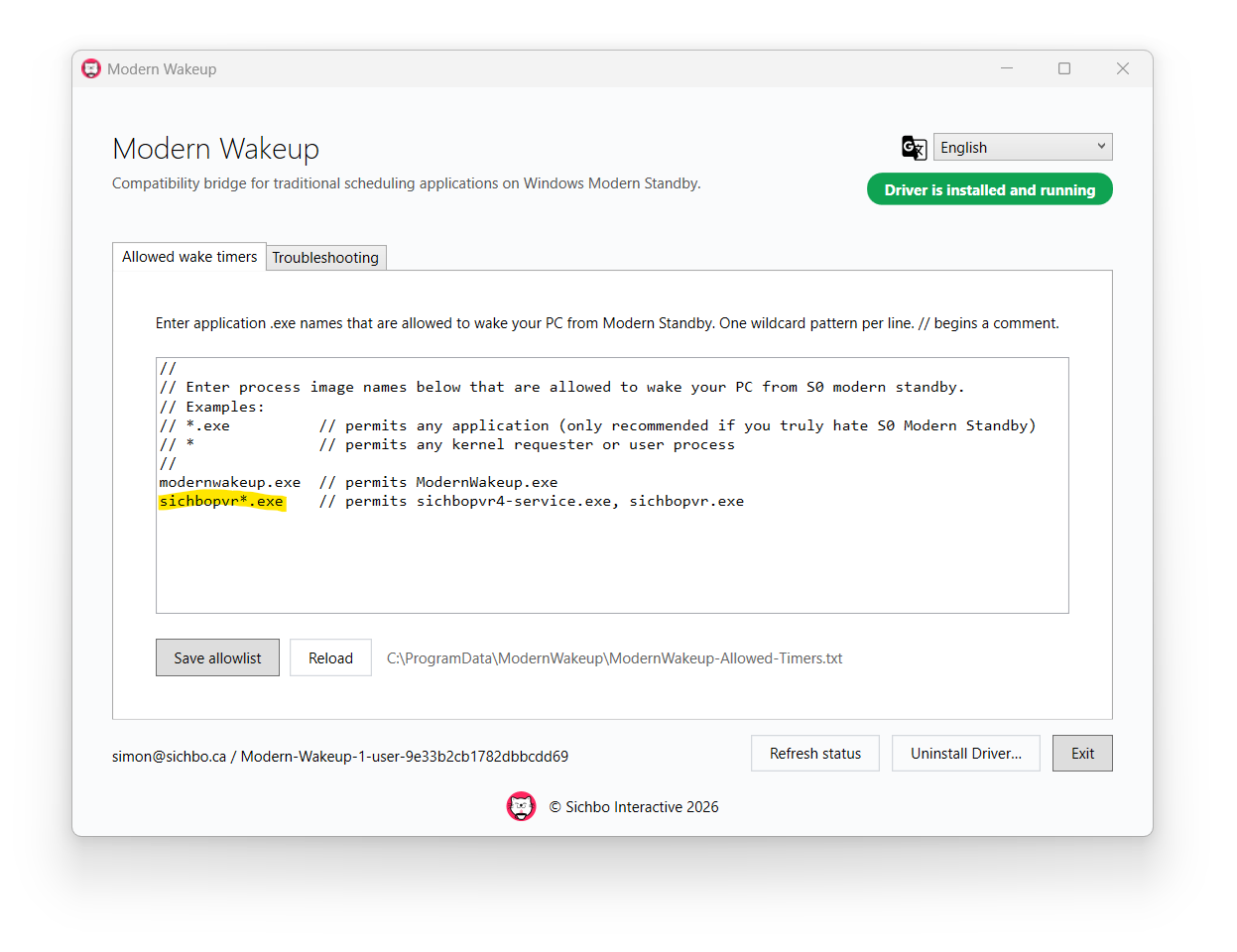
You can also manually edit the rules in:
C:\ProgramData\ModernWakeup\ModernWakeup-Allowed-Timers.txt
The Troubleshooting tab includes a wake timer test and diagnostic messages. You can also find ModernWakeup events in Event Viewer under Windows Logs, System.
Modern Wakeup requests display activity to help desktop applications resume from suspension. This may also turn on the screen. Wake timing depends on Windows power policy, firmware, and hardware. Modern Wakeup does not enable S3 sleep or disable Modern Standby. See the guide for compatibility and timing limits.